
What Are Stealer Logs? How Your Passwords Get Stolen & How to Stay Safe
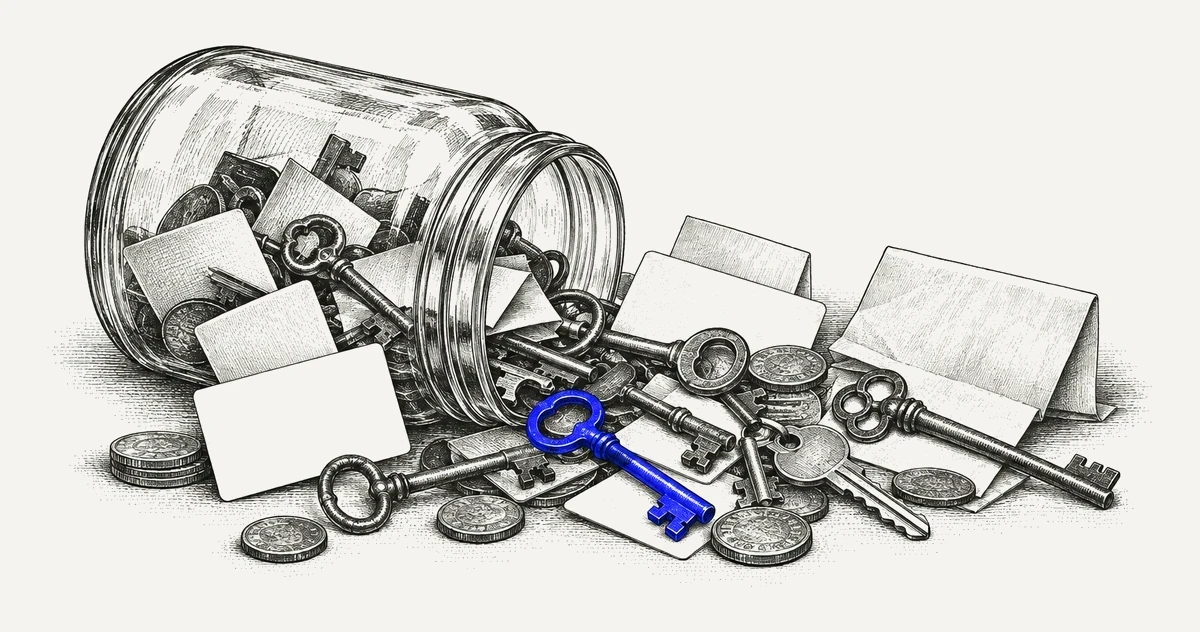
If you spend any time around threat intelligence, incident response, or fraud teams, you have heard the phrase “stealer logs” thrown around. It shows up in breach reports, in Telegram channels, in dark web marketplaces, and in the weekly summaries security vendors push out. The problem is that most write-ups treat the topic like everyone already knows what is going on under the hood. A lot of people do not.
What a Stealer Log Actually Is
A stealer log is the output of an infostealer. An infostealer is a small piece of malware designed to do one job and do it fast: grab everything useful from an infected machine and ship it back to the operator before the victim notices.
"Everything useful" usually means:
- Saved browser passwords
- Session cookies
- Autofill data, including addresses and card numbers
- Cryptocurrency wallet files and browser extensions
- Local files matching certain keywords like wallet, seed, backup, or password
- FTP clients, VPN configs, Discord tokens, Telegram session files
- A screenshot of the desktop at the moment of infection
- A system fingerprint with OS version, CPU, installed software, and IP
When the malware finishes, it packages all of this into a folder, zips it up, and ships it to a command and control server. That zip is the log. One infected computer equals one log. The families you hear about most right now are Lumma, StealC, RedLine (still around in various rebrands even after the takedown), Vidar, RisePro, Raccoon, Meta, and Rhadamanthys. They come and go, get rebranded, get seized, get forked. The names change. The output format barely does.
Industry analysis puts the scale of this problem at more than 16 million unique stealer infections by 2023, with projections moving toward 20 to 25 million by the end of 2024. This is not a niche threat anymore. It is the dominant credential theft vector of the moment.

Where Infections Come From
People like to imagine stealer infections as the result of some sophisticated zero day. In reality, the delivery methods are almost boring.
The classic vector is cracked software. Someone searches for a cracked copy of Photoshop, FL Studio, a game trainer, or a Windows activator. They land on a YouTube video or a SEO-poisoned blog, click a Mega or MediaFire link, disable their antivirus because “the crack triggers a false positive,” and run the installer. Game over.
The second big vector is fake software pages. Attackers clone the front page of a legitimate tool, buy Google Ads for the real product name, and rank above the actual vendor. OBS, Notion, Rufus, Blender, any popular free tool has been abused this way. The installer works. It installs the real app. It also drops a stealer.
The third is the “send me your portfolio” scam targeting freelancers, the fake job interviews hitting developers on LinkedIn, and malicious npm or PyPI packages. Different audience, same outcome. None of this requires the victim to be stupid. It requires them to be in a hurry, which everyone is.
Anatomy of a Log Folder
If you have never opened one, here is roughly what you see. I am describing it in generic terms on purpose. Inside the zip there is usually a root folder named after the victim, often using a format like country code, IP, and a machine identifier. Inside that:
- A file called something like System.txt or UserInformation.txt containing hardware details, installed programs, running processes, and the external IP
- A Screenshot.jpg or similar
- A folder per browser (Chrome, Edge, Brave, Opera, Firefox, Yandex) with subfolders for Passwords, Cookies, Autofills, History, and CreditCards
- A Wallets folder if the victim had any crypto software installed
- A Soft folder with exports from Telegram, Discord, Steam, FileZilla, and various VPN clients
- A Passwords.txt that consolidates every credential the malware managed to decrypt, line by line, in the format URL:username:password
That Passwords.txt is the file that matters for most downstream abuse. It is plain text. It is sortable. It is grep friendly. And it often contains hundreds of entries per victim, because modern users save everything in their browser.
Where Logs Get Sold: The UCL Economy
Logs move through a pretty well established pipeline. At the top you have the malware operator or the affiliate who ran the infection campaign. They either sell logs in bulk to resellers or work through a subscription marketplace. The big named shops like Russian Market and 2easy made this model famous. Genesis got taken down. Others keep popping up to replace them.
Below that you have what the industry now calls Underground Clouds of Logs, or UCLs. These are searchable databases where buyers can query stolen data the way you would query a search engine. Type in a corporate domain, a VPN URL, or a specific application, and the platform returns matching logs. Subscription tiers (daily, weekly, VIP) have effectively turned credential theft into a SaaS product. Once one operator steals data, hundreds of buyers can monetize it in parallel.
Then comes Telegram, which has eaten a huge share of log trading in the last two years because it is faster and lower friction than traditional forums. Free samples get dropped daily. Fresh logs get sold in private channels for a few dollars each, or bundled into monthly cloud subscriptions that give buyers access to thousands of new logs per day.
At the bottom of the funnel are the end users: account takeover crews, crypto drainers, initial access brokers who use corporate credentials to pivot into ransomware operations, and low level fraudsters who just want a working Netflix account. That last point is the one defenders miss. A single log can feed five different criminal workflows. The person who stole the data rarely executes the attack.

- The plaintext password, because the browser decrypted it locally
- The exact URL the password was used on
- A valid session cookie that bypasses the password entirely and often bypasses MFA
- The victim’s autofill identity
- Exposure of a password manager's contents if its vault was unlocked on the infected machine
That last point is the one that keeps security teams up at night. If the vault was unlocked in the browser while the stealer ran, the malware may be able to read secrets straight from the running extension or local storage, with no need to crack anything. A stolen session cookie on its own is less than that: most password managers still require the master password or another verification step before exporting or decrypting a vault, so the exposure depends on the product and on what the malware grabbed.
This is also why “change your password” is not a complete response to a stealer infection. Cookies survive password resets on most platforms unless the platform explicitly invalidates sessions. You need to force sign out everywhere, not just rotate credentials.
How to Tell if You or Your Organization Is in a Log?
There are a few tiers of visibility, and the right one depends on whether you are checking yourself or defending an organization. Free and public tier: Have I Been Pwned added stealer log support and now flags emails that appear in known log collections. It will not tell you which site or which password, but it tells you that your address showed up. Useful for individuals, not enough for a company. Commercial and threat intelligence tier: this is where most security teams actually operate. The vendors worth knowing in this space include:
- Cypho - a threat intelligence platform that monitors stealer logs, leaked credentials, and dark web activity across surface, deep, and dark web sources. It continuously ingests data from UCLs and Telegram channels, and lets teams match findings against their own domains, applications, and specific URLs, so an analyst can see which employee, which credential, and which application is exposed, not just a vague “you are in a leak” alert. It also covers adjacent problems that usually come bundled with stealer infections, like exposed API tokens in public repositories, leaked payment card data, and lookalike domains used in follow-on phishing.
- Hudson Rock - known specifically for infostealer intelligence. Their free Cavalier and Bayonet tools have popularized visibility into this problem, and their enterprise offering lets you query by domain and application.
- Flare - covers dark web, Telegram, and stealer log monitoring with a focus on ease of use for mid-size security teams.
- SpyCloud - one of the older players, with a very large recaptured data set and a strong focus on account takeover prevention.
- IntelligenceX - more of a raw data search engine covering pastes, leaks, and darknet content, useful when you need to pivot on selectors rather than get curated alerts.
- Constella Intelligence - identity focused, with strong coverage of credential exposure and executive protection.
- DarkOwl - deep archive of darknet content, heavier on raw access and research use cases than on turnkey alerts.
The useful query across any of these is not “is my CEO in a log.” It is “which logs contain a credential for our SSO endpoint, our VPN, our admin panel, our customer portal.” That is the query that prevents incidents.
Manual tier: if you have access to the right Telegram channels and know what you are doing, you can monitor fresh log drops yourself. This is a time sink and it comes with obvious operational security concerns. Most teams are better off paying a vendor and using that time for response.

What to Do When You Find an Employee in a Log?
Order of operations matters here. First, treat the device as compromised, not just the account. The malware was on a machine. That machine probably has a browser profile, saved VPN configs, and cached tokens for internal tools. Reimage it. Do not just run a scan and call it clean. Modern stealers often pair with loaders that pull down additional payloads you will not see without a full wipe.
Second, invalidate every session, not just the passwords. For Microsoft 365, that means revoking refresh tokens. For Google Workspace, sign the user out of all sessions. For your own apps, kill the session table entries tied to that user. This step is the one most teams skip and later regret.
Third, rotate credentials for every site that appeared in the log, starting with anything that touches corporate infrastructure. Personal accounts count too if the user reused passwords, which they did.
Fourth, check for pivots. If the log contained a valid cookie for your Okta or your VPN, assume the attacker already used it. Review authentication logs for the window between infection and detection, and look for logins from unfamiliar IPs, impossible travel, or unusual user agents.
Fifth, if the user had access to sensitive data, assume that data is gone. This is not pleasant to tell leadership, but it is usually the truth.
Practical Prevention
You cannot stop every infection, but you can make stealer logs far less valuable. Stop letting browsers save passwords for corporate resources. Enforce a real password manager with a separate master password and a session timeout. If the browser does not know the password, the stealer cannot lift it. Turn on hardware backed MFA where you can. Cookies still get stolen, but FIDO2 keys make the credential itself useless without the physical device. Push notifications and SMS do not give you the same protection because the attacker replays the cookie, not the login.
Shorten session lifetimes on anything sensitive. A two hour session on your admin panel is worth very little to someone buying a week old log. A thirty day session is a free pass. Block unsigned executables on employee machines. Most stealers arrive as a loose exe or msi from a download that the user chose to run. Application control policies, whether through AppLocker, WDAC, or a commercial EDR, cut the attack surface dramatically. Monitor for your own corporate domains and applications in log feeds continuously. The gap between finding out in two hours and finding out in two weeks is the gap between a contained incident and a board level one.
Train people on the specific scams that lead to infections. Not generic phishing awareness. Show them the YouTube crack video playbook. Show them the fake Rufus page. Show them the LinkedIn fake recruiter flow. Specific beats abstract every time. Stealer logs are the byproduct of cheap, fast malware that harvests everything a browser knows. They are traded daily, in bulk, for low prices, through Underground Clouds of Logs and Telegram channels, and they power a huge share of account takeover, crypto theft, and ransomware intrusions right now. They matter more than classic credential dumps because they include live session cookies and decrypted passwords tied to exact URLs.

If you run security for anything, assume some of your users are already in a log somewhere. Build your controls around that assumption instead of hoping to prevent every infection. The teams that get hurt are the ones still treating this like a password hygiene problem. It stopped being that years ago.
Related reading from Cypho:
- The Art of Threat Hunting — how human-led hunting and AI-assisted analysis work together to detect advanced threats
- Threat Intelligence Platform — explore how Cypho uses intelligence-driven automation to accelerate detection and response